📋 Project Management
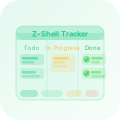
Linear Tracker
Planned, active, and deferred work across the Z-Shell organization is prioritized in the Z-Shell Workspace project in Linear:
Open Linear →
GitHub issues and pull requests remain the repository-level record for discussion, implementation, and review. Linear provides the cross-repository planning view: priority, status, ownership, estimates, cycles, and dependencies.
Workflow
Each tracked item moves through the z-shell team's Linear workflow:
| Status | Purpose |
|---|---|
| Backlog | Accepted work that is not yet scheduled |
| Todo | Ready to begin |
| In Progress | Actively being implemented |
| In Review | Awaiting review, verification, or publication |
| Done | Completed and verified |
| Canceled | Deliberately removed from the plan |
| Duplicate | Covered by another tracked item |
Triage Workflow
When work is added to Linear, a maintainer:
- Links the owning GitHub issue or pull request when one exists.
- Sets its Priority, Status, and project.
- Adds labels and an estimate when they improve planning.
- Records dependencies so blocked work is visible.
- Assigns it to a cycle only when it is ready to schedule.
Capturing Deferred Work
Do not leave postponed work only in local diffs, review notes, or memory. Create or update an issue in the repository that owns the work, then add or link the corresponding Linear item when the task needs cross-repository planning.
When splitting or deferring work:
- Create one issue per logical task so each item can be prioritized and completed independently.
- Include enough context for another maintainer to resume later: the observed problem, why it matters, relevant files, and any known constraints.
- Suggest the likely Priority, estimate, and initial Linear status during triage.
- Use the canonical labels instead of repo-local tracking conventions.
Priority Definitions
| Priority | Meaning |
|---|---|
| 🔴 Critical | Data loss, security vulnerability, or complete breakage with no workaround |
| 🟠 High | Significantly impacts users or blocks important work; schedule next |
| 🟡 Medium | Important but not urgent; prioritize against other planned work |
| 🔵 Low | Nice to have; no fixed timeline |
| None | Not yet triaged or genuinely optional |
GitHub and Linear
Contributors should continue opening issues and pull requests in the owning GitHub repository. Maintainers use Linear to coordinate work that spans repositories, needs scheduling, or should remain visible after it is deferred. Links between the two systems preserve the implementation history without duplicating long-form technical context.
Labels
All repositories in the z-shell organization use the same canonical label set.
Labels are applied manually during triage or by approved organization
automation.
The source of truth lives in
z-shell/.github/lib/labels.yml.
Rollout across repositories is handled through organization maintenance automation.
Work Type Labels
Use these to describe what kind of work an issue or PR represents.
| Label | Color | Description |
|---|---|---|
type: bug |  #b60205 | Something is broken or behaving incorrectly |
type: feature |  #0e8a16 | A request for new behavior or capability |
type: docs |  #0052cc | Documentation-only work |
type: question |  #d4c5f9 | Support, clarification, or usage question |
type: maintenance |  #531999 | Non-feature maintenance, cleanup, or org work |
type: membership |  #6f42c1 | Membership and organization-role requests |
type: handoff |  #5319e7 | Cross-agent or cross-maintainer handoff context |
Area Labels
Use these to describe which part of the ecosystem the item touches.
| Label | Color | Description |
|---|---|---|
area: zi |  #1d76db | Zi core behavior, APIs, or documentation |
area: plugin |  #3e16f3 | Plugin behavior or plugin-facing work |
area: annex | #3e16f3 | Annex behavior or annex-facing work |
area: package | #3e16f3 | Package or package-management work |
area: docs | #0052cc | Documentation systems, content, or publishing |
area: ci | #5319e7 | Continuous integration or GitHub Actions work |
area: dependencies |  #fbca04 | Dependency updates or dependency-management work |
area: release |  #d93f0b | Release process, versioning, or changelog work |
area: meta | #1d76db | Organization-wide policy, templates, or meta-repo work |
Priority and Workflow Labels
Use these to describe urgency or state in the workflow.
| Label | Color | Description |
|---|---|---|
priority: high |  #ee0701 | Needs prompt attention |
security | #ee0701 | Security-sensitive issue or hardening work |
breaking-change | #d93f0b | Breaks backward compatibility or changes a public contract |
status: triage | #fbca04 | Awaiting initial review or classification |
status: blocked |  #e4e669 | Cannot proceed until an external dependency or decision changes |
needs-info |  #f9d0c4 | Waiting on more detail before work can continue |
good first issue |  #7057ff | Well-scoped starter task for a new contributor |
help wanted |  #008672 | Maintainers would welcome outside help |
invalid |  #0b467f | Off-topic, incorrect, or not actionable |
duplicate |  #cfd3d7 | Covered by another issue or pull request |
wontfix |  #ffffff | Acknowledged but not planned for implementation |
Syncing Labels
To apply the canonical label set to a repository:
# Single repo
echo "my-repo" > /tmp/repos.txt
./scripts/sync-labels.sh z-shell /tmp/repos.txt

# All org repos
./scripts/sync-labels.sh z-shell scripts/repos.txt
The --force flag means existing labels with the same name are updated to match
the canonical color and description. Labels not in the canonical set are not
deleted automatically — remove them manually if desired.