⚙️ Feature-rich syntax highlighting
z-shell/f-sy-h
Install F-Sy-H
- Zi
- Zgen
- Oh-My-Zsh
- Standalone
Add the following to your .zshrc file.
zi light z-shell/F-Sy-H
Load the plugin in turbo mode:
zi wait lucid for \
  atinit"ZI[COMPINIT_OPTS]=-C; zicompinit; zicdreplay" \
    z-shell/F-Sy-H \
  blockf \
    zsh-users/zsh-completions \
  atload"!_zsh_autosuggest_start" \
    zsh-users/zsh-autosuggestions
Add the following to your .zshrc file in the same place you're doing your other zgen load calls in.
zgen load z-shell/F-Sy-H
Clone the Repository:
git clone https://github.com/z-shell/F-Sy-H.git \
  ${ZSH_CUSTOM:-$HOME/.oh-my-zsh/custom}/plugins/F-Sy-H
And add F-Sy-H to your plugin list.
Clone the Repository.
git clone https://github.com/z-shell/F-Sy-H.git \
  ~/some/path/to/fsh
And add the following to your .zshrc file.
source ~/some/path/to/fsh/F-Sy-H.plugin.zsh
Performance
Performance differences can be observed in this Asciinema recording, where a 10 kB function is being edited.
Syntax highlighting features
Themes
Switch themes via fast-theme {theme-name}.
Run fast-theme -t {theme-name} option to obtain the snippet above.
Run fast-theme -l to list available themes.
Theme guide for F-Sy-H
To select a theme using fast-theme. F-Sy-H currently has 11 themes basic INI files where each key is a style, they can be listed with fast-theme -l.
Besides shipped themes, users can point this tool to any other theme, by simple fast-theme ~/mytheme.ini. To obtain a template to work on when creating your theme, issue fast-theme --copy-shipped-theme {theme-name}.
To alter just a few styles and not create a whole new theme, use overlay. What is an overlay? It is in the same format as a full theme but can have only a few styles defined, and these styles will overwrite styles in the main theme.
Example overlay file:
; overlay.ini
[base]
commandseparator = yellow,bold
comment          = 17

[command-point]
function       = green
command        = 180
File name overlay.ini is treated specially.
When specifying a path, the following short-hands can be used:
XDG:    = ~/.config/fsh (respects $XDG_CONFIG_HOME env var)
LOCAL:  = /usr/local/share/fsh/
HOME:   = ~/.fsh/
OPT:    = /opt/local/share/fsh/
So for example, issue fast-theme XDG:overlay to load ~/.config/fsh/overlay.ini as an overlay. The .ini extension is optional.
Secondary theme
Each theme has a key secondary, e.g. for theme free:
; free.ini
[base]
default          = none
unknown-token    = red,bold
; ...
; ...
; ...
secondary        = zdharma
A secondary theme (zdharma in the example) will be used for highlighting of argument for eval and of $( ... ) interior (i.e. of the interior of command substitution). Recursive highlighting uses the alternate theme to make the highlighted code distinct:

In the above screen-shot the interior of $( ... ) uses different colors than the rest of the code. Example for eval:

The first line doesn't use recursive highlighting, highlights the eval argument as a regular string. The second line switches the theme to zdharma and does full recursive highlighting of the eval argument.
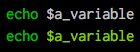
Variables
Comparing to the project zsh-users/zsh-syntax-highlighting (the upper image):

Brackets

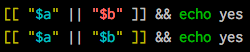
Conditions
Comparing to the project zsh-users/zsh-syntax-highlighting (the upper line):
Strings
Exact highlighting that recognizes quoting.

here-strings

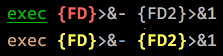
exec descriptor-variables
Comparing to the project zsh-users/zsh-syntax-highlighting (the upper line):
The for-loops and alternate syntax (brace {/} blocks)

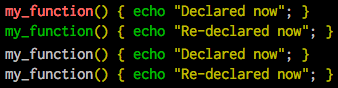
Function definitions
Comparing to the project zsh-users/zsh-syntax-highlighting (the upper 2 lines):
Recursive eval and $( ) highlighting
Comparing to the project zsh-users/zsh-syntax-highlighting (the upper line):
Chroma functions
Command specific highlighting
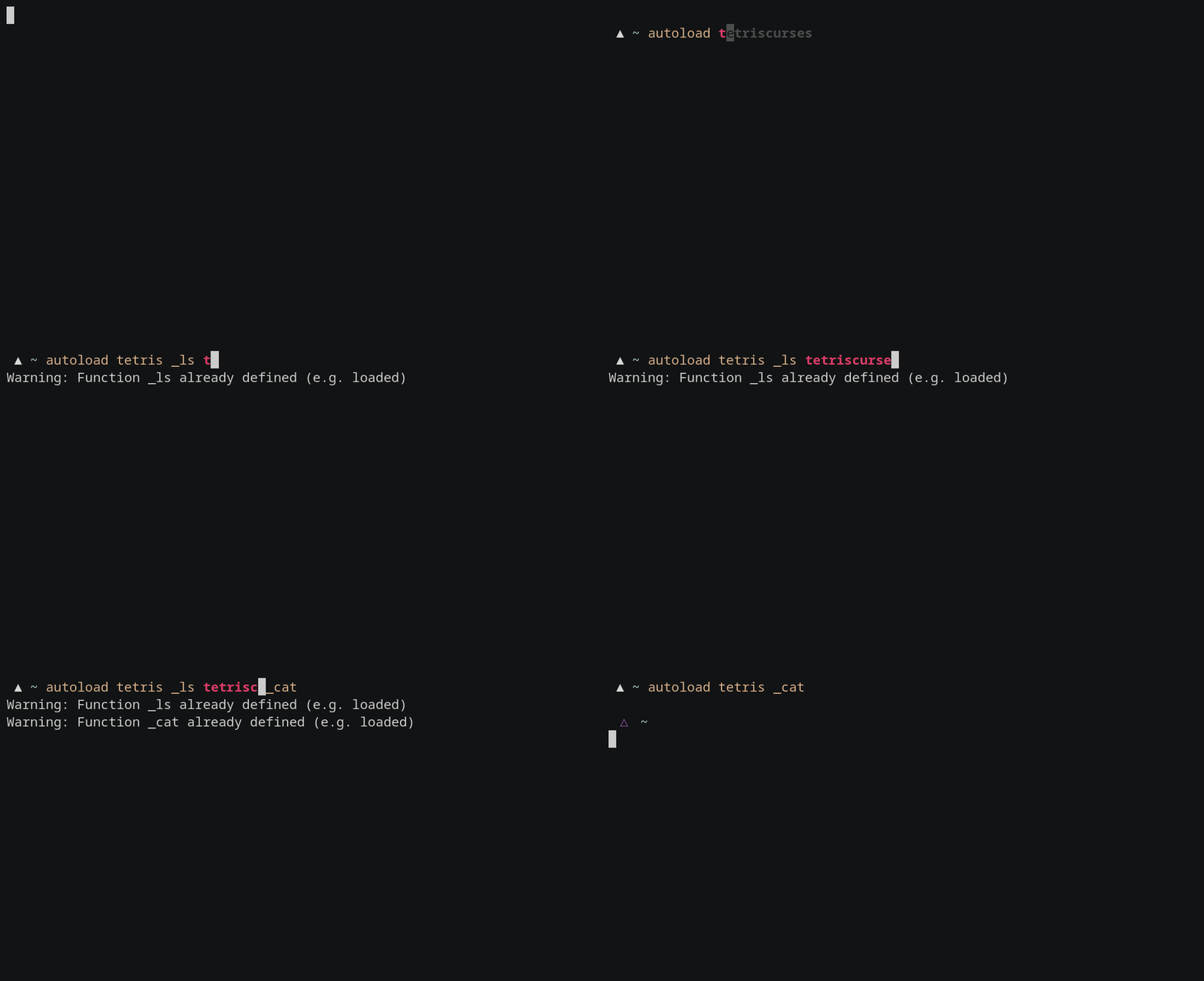
Autoload
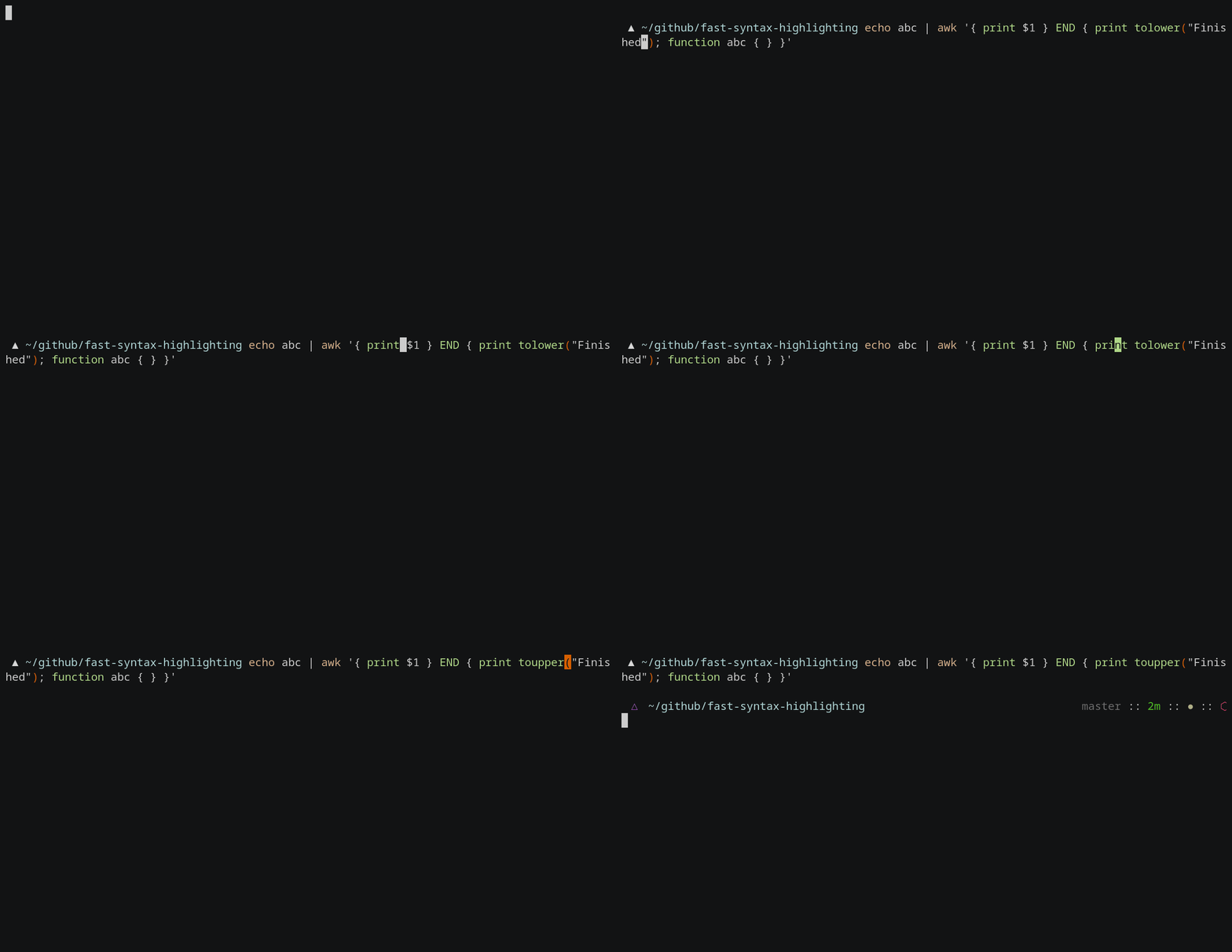
Awk
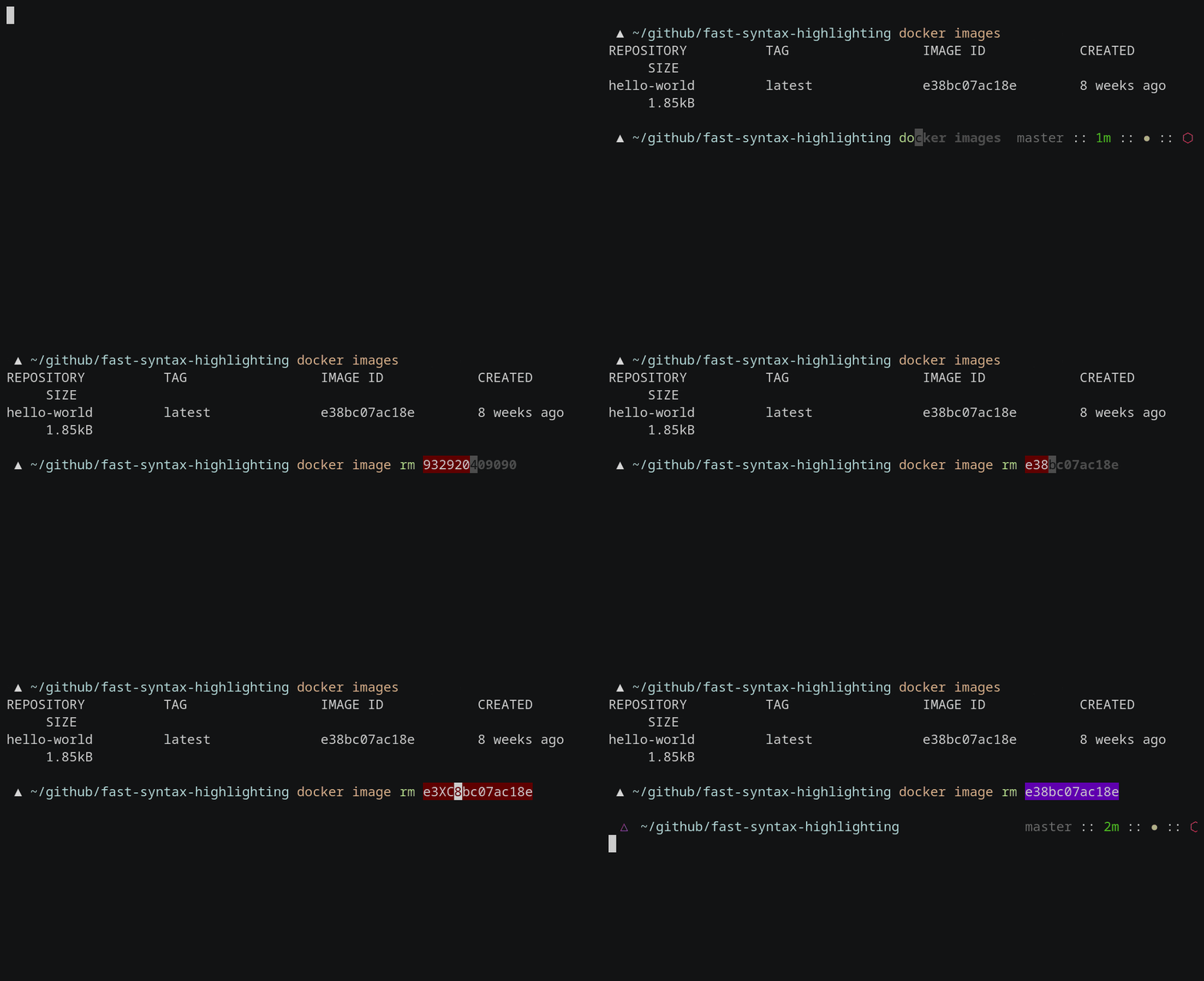
Docker
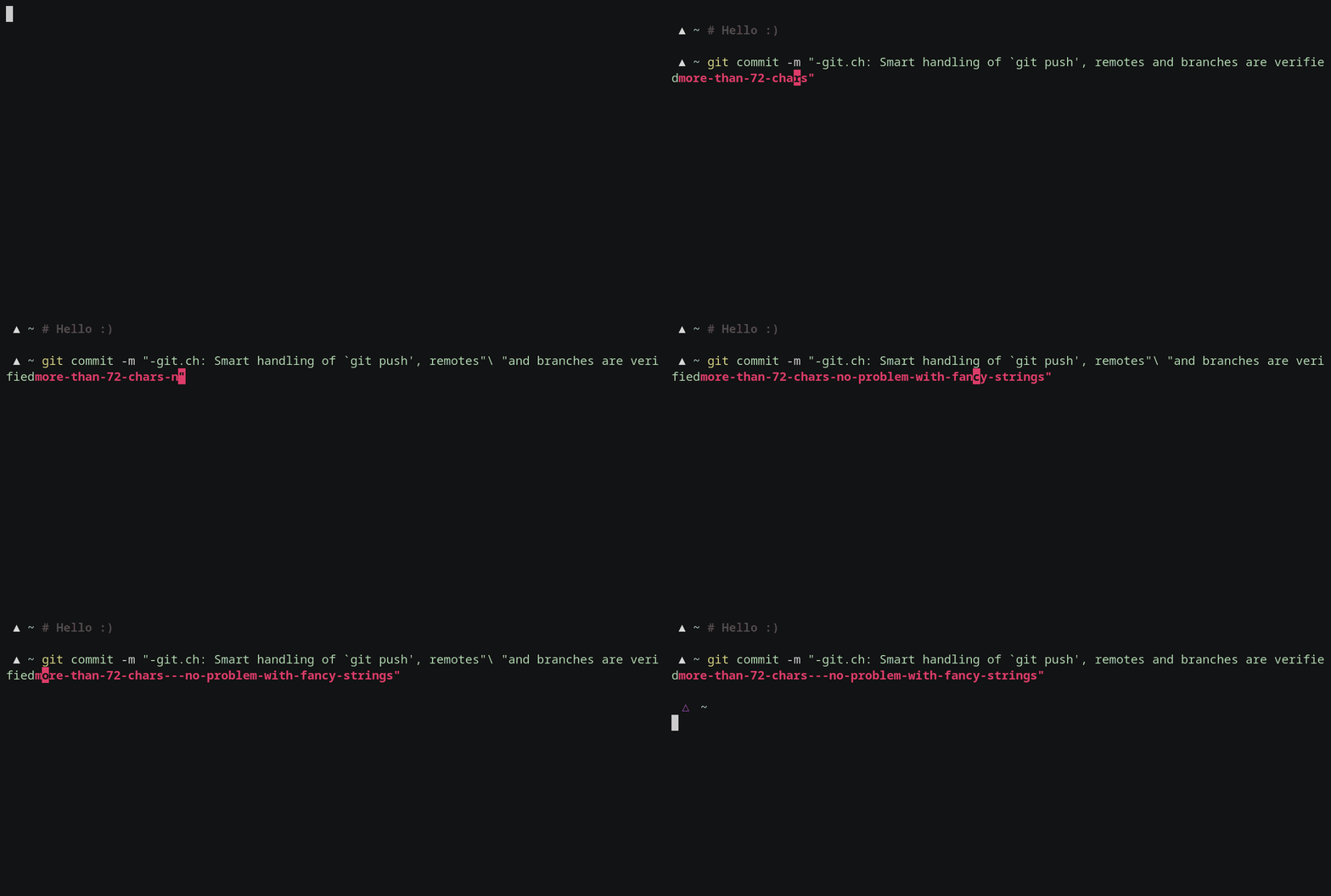
Git commit
Git checkout

Grep

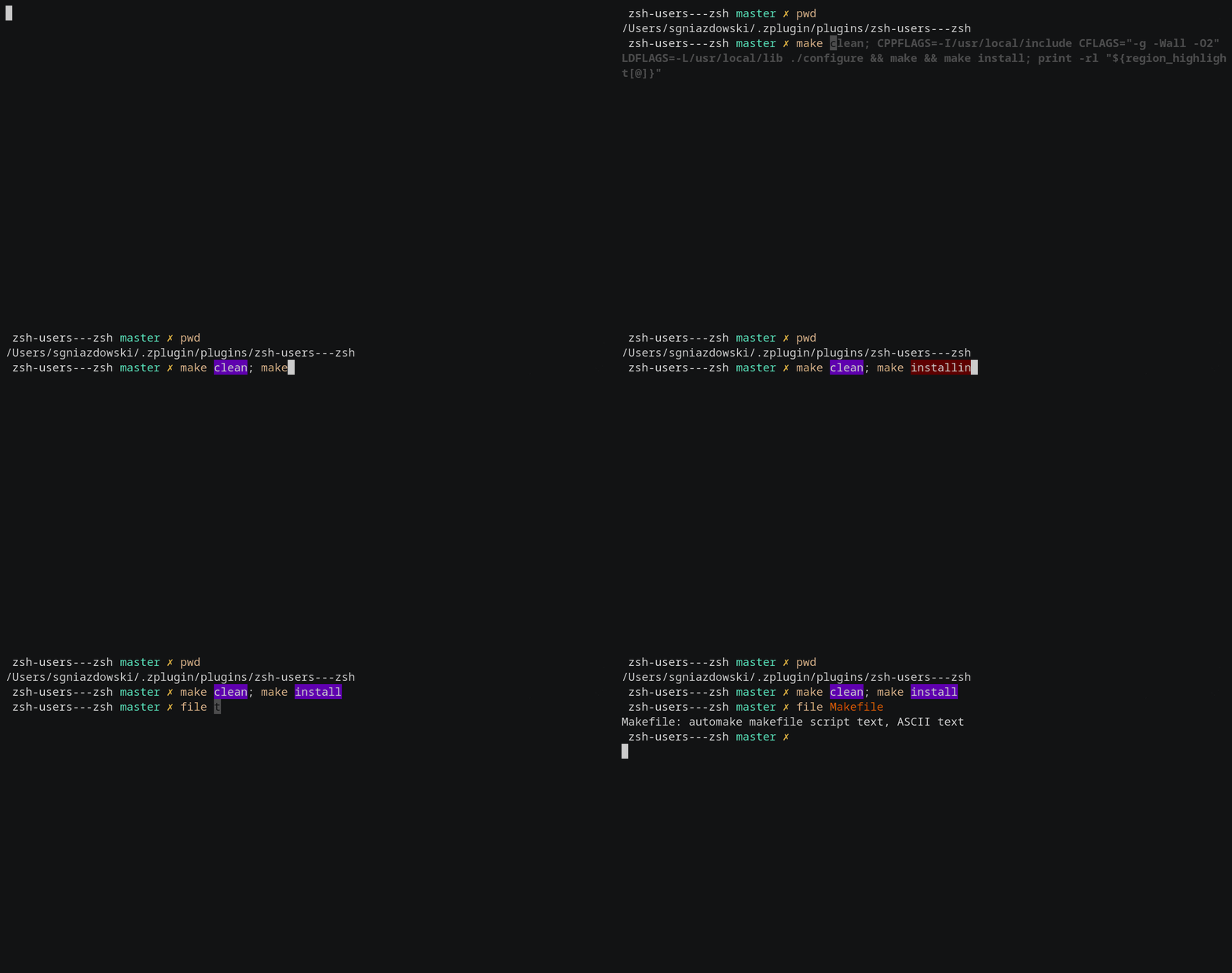
Make
Perl

Sh
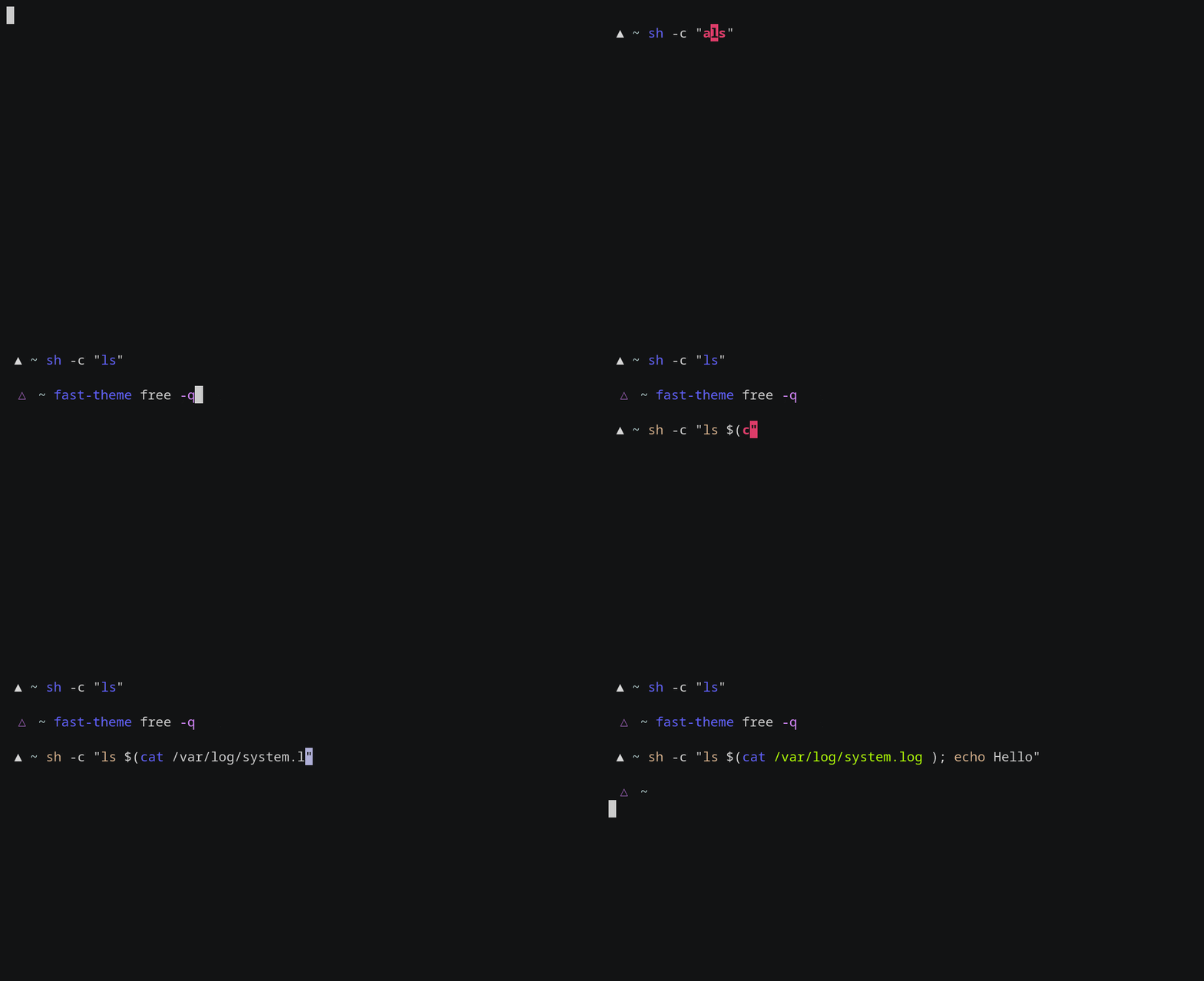
The chromas are set in fast-highlight#L174.
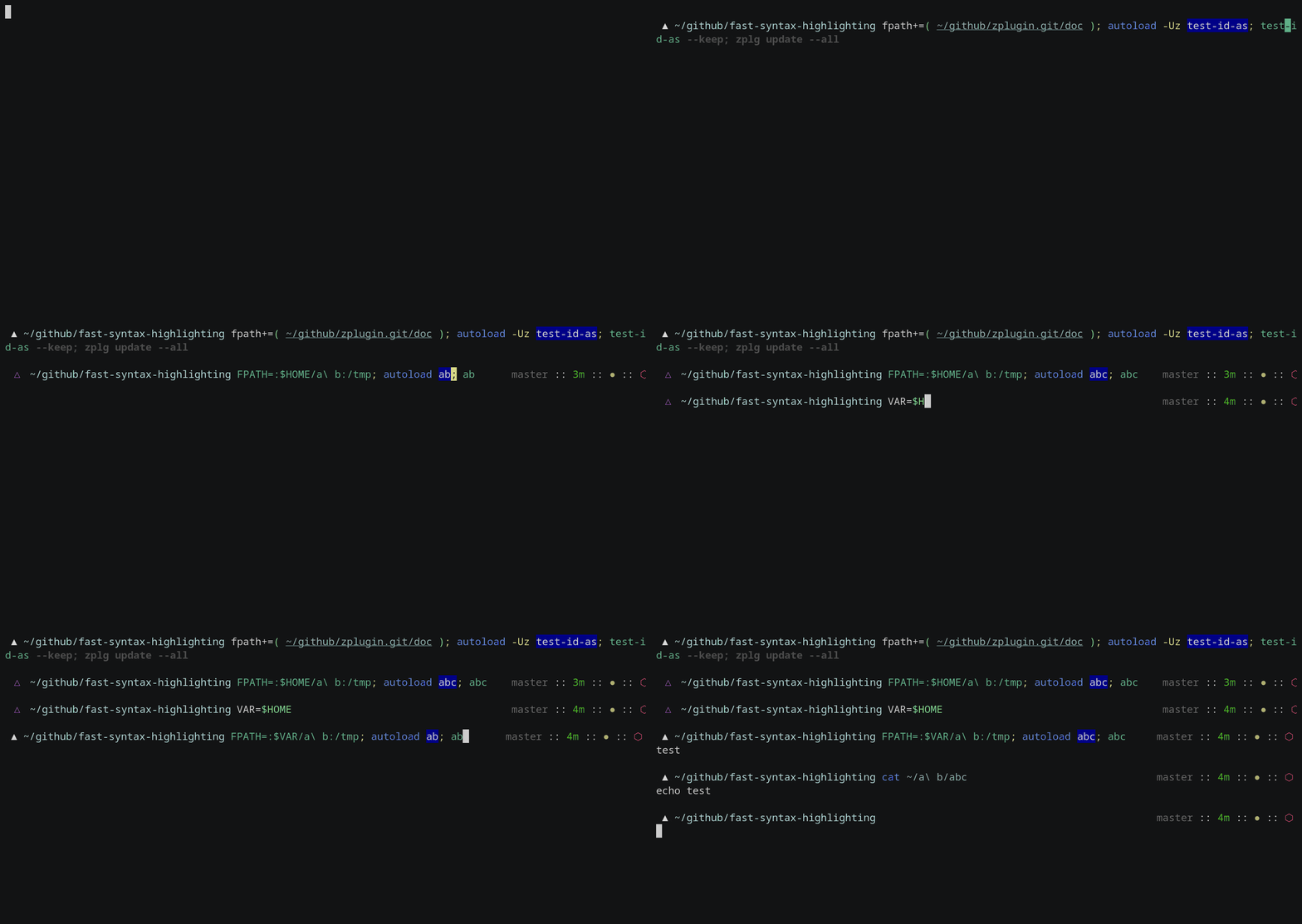
Fpath highlighting
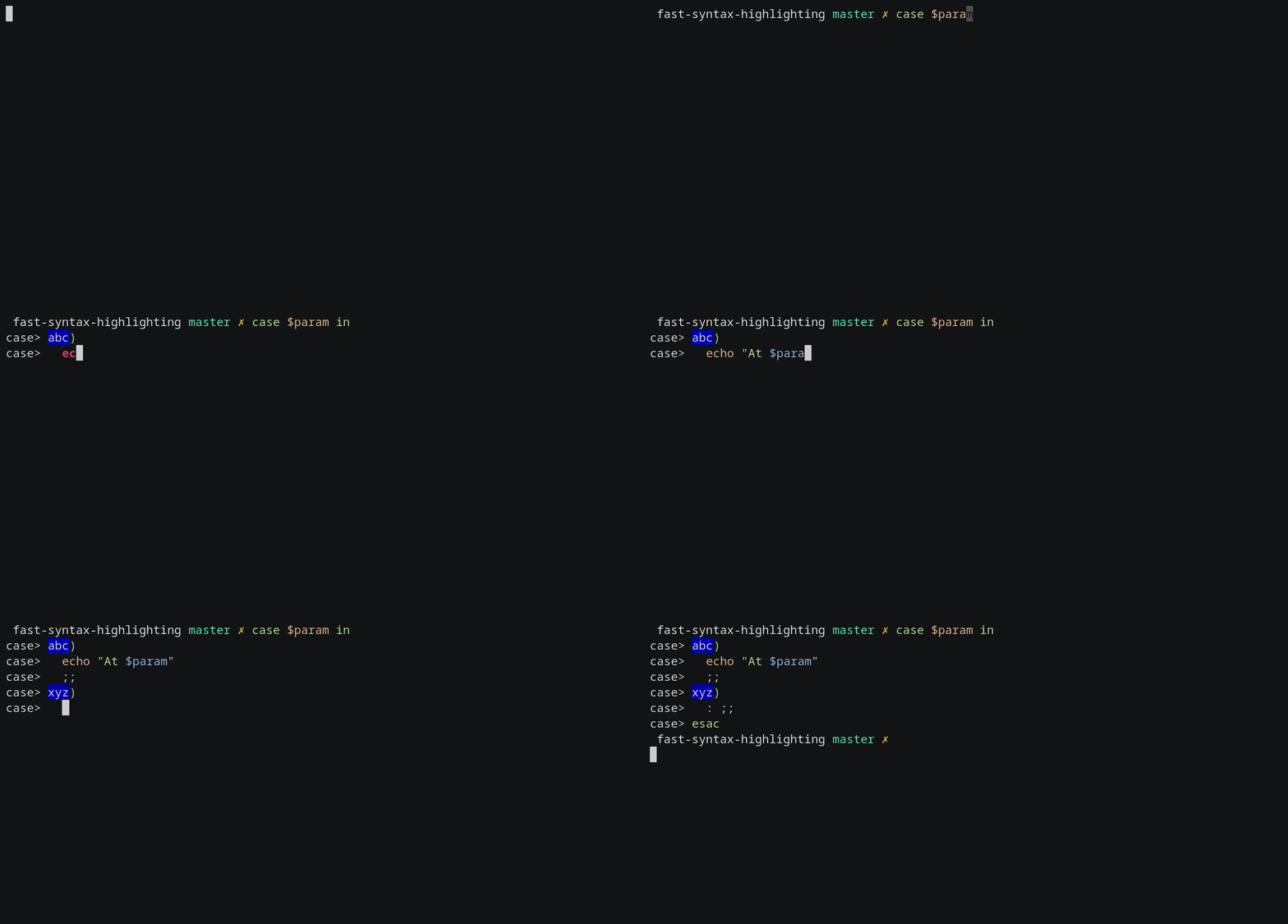
Case highlighting
Math highlighting

Zcalc highlighting

Custom Working Directory
Set $FAST_WORK_DIR before loading the plugin to have e.g. processed theme files (ready to load, in Zsh format, not INI) kept under a specified location. This is handy if e.g. you install Fast-Syntax-Highlighting system-wide (e.g. from AUR on ArchLinux) and want to have a per-user theme setup.
You can use "~" in the path, e.g. FAST_WORK_DIR=~/.fsh and also the XDG:, LOCAL:, OPT:, etc. short-hands, so e.g. FAST_WORK_DIR=XDG or FAST_WORK_DIR=XDG: is allowed (in this case it will be changed to $HOME/.config/fsh by default by F-Sy-H loader).
Chroma guide for F-Sy-H
This document explains to create a detailed highlighting for a specific program.
Keywords
chroma- a shorthand forchroma function– the thing that colorizes selected commands, likegit,grep, etc. invocations, seechroma functionbelow,big loop- main highlighting code, a loop over tokens, and at least 2 large structure constructs (bigifandcase); it is advanced, e.g. parsescasestatements, here-string, it constitutes 90% of the F-Sy-H project,chroma function- a plugin function that is called when a specific command occurs (e.g. when a user entersgitat the command line) suppressing activity ofbig loop(i.e. no standard highlighting unless requested),token- the result of splitting the whole command line (i.e.$BUFFER, the Zle variable) into bits called tokens, which are words in general, separated by spaces on the command line.
Overview of functioning
- Big loop is working – token by token processes command line, changes states (e.g. enters state "inside case statement") and in the end decides on the color of the token currently processed.
- Big loop occurs a command that has a chroma, e.g.
git. - Big loop enters "chroma" state, calls associated chroma function.
- Chroma takes care of the "chroma" state, and ensures it will be set also for the next token.
- "chroma" state is active, so all following tokens are routed to the chroma (in general skipping big-loop, see next items),
- When processing of a single token is complete, the associated chroma returns 0 (shell-truth) to request no further processing by the big loop.
- It can also return 1 so that a single, current token will be passed into a big-loop for processing (to do a standard highlighting).
Chroma function arguments
$1- 0 or 1, denoting if it's the first call to the chroma, or the following one,$2- the current token, also accessible by$\__argfrom the upper scope - basically a private copy of$__arg; the token can be eg.: "grep",$3- a private copy of$_start_pos, i.e. the position of the token in the command line buffer, used to add region_highlight entry (see man) because Zsh colorizes by _ranges* applied onto command line buffer (e.g.from-10 to-13 fg=red),$4- a private copy of$_end_posfrom the upper scope; denotes where the current token ends (at which index in the string is the command line).
So example invocation could look like this:
→chroma/-example.ch 1 "grep" "$_start_pos" "$_end_pos"
Big-loop will be doing such calls for the user, after occurring a specific chroma-enabled command (like e.g. awk), and then until chroma will detect the end of this chroma-enabled command (end of the whole invocation, with arguments, etc.; in other words, when e.g. new line or ;-character occurs, etc.).
Example of chroma function
# -*- mode: zsh; sh-indentation: 2; indent-tabs-mode: nil; sh-basic-offset: 2; -*-
# vim: ft=zsh sw=2 ts=2 et
#
# Example chroma function. It colorizes the first two arguments as `builtin' style,
# third and following arguments as `globbing' style. The first two arguments may
# be "strings", they will be passed through to normal highlighter (by returning 1).
#
# $1 - 0 or 1, denoting if it's the first call to the chroma or the following one
#
# $2 - the current token, also accessible by $__arg from the above scope -
# a private copy of $__arg; the token can be eg.: "grep"
#
# $3 - a private copy of $_start_pos, i.e. the position of the token in the
# command line buffer, used to add region_highlight entry (see man),
# because Zsh colorizes by *ranges* in the command line buffer
#
# $4 - a private copy of $_end_pos from the above scope
#
#
# Overall functioning is: when command "example" occurs, this function
# is called with $1 == 1, it ("example") is the first token ($2), then for any
# following token, this function is called with $1 == 0, until end of command
# is occurred (i.e. till enter is pressed or ";" is put into the source or the
# command line simply ends).
#
# Other tips are:
# - $CURSOR holds cursor position
# - $BUFFER holds the whole command line buffer
# - $LBUFFER holds command line buffer that is left from the cursor, i.e. it's a
#   BUFFER substring 1 .. $CURSOR
# - $RBUFFER is the same as LBUFFER but holds part of BUFFER right to the cursor
#
# The function receives $BUFFER but via a sequence of tokens, which are shell words,
# e.g. "a b c" is a shell word, while a b c are 3 shell words.
#
# FAST_HIGHLIGHT is a friendly hash array that allows storing strings without
# creating global parameters (variables). If you need hash, just use it first
# declaring, under some distinct name like: typeset -gA CHROMA_EXPLE_DICT.
# Remember to reset the hash and others at __first_call == 1, so that you have
# a fresh state for a new command.

# Keep chroma-takeover state meaning: until; handle highlighting via chroma.
# So the below 8192 assignment takes care that the next token will be routed to chroma.
(( next_word = 2 | 8192 ))

local __first_call="$1" __wrd="$2" __start_pos="$3" __end_pos="$4"
local __style
integer __idx1 __idx2

(( __first_call )) && {
  # Called for the first time - new command. FAST_HIGHLIGHT is used because it survives between calls,
  # and allows to use of a single global hash only, instead of multiple global string variables.
  FAST_HIGHLIGHT[chroma-example-counter]=0

  # Set style for region_highlight entry. It is used below in
  # '[[ -n "$__style" ]] ...' line, which adds highlight entry, like "10 12 fg=green", through `reply' array.
  #
  # Could check if command `example' exists and set `unknown-token'
  # style instead of `command'
  __style=${FAST_THEME_NAME}command

} || {
  # Following the call, i.e. not the first one

  # Check if chroma should end – test if the token is of type "starts new command", if so pass-through – chroma ends
  [[ "$__arg_type" = 3 ]] && return 2

  if (( in_redirection > 0 || this_word & 128 )) || [[ $__wrd == "<<<" ]]; then
    return 1
  fi

  if [[ "$__wrd" = -* ]]; then
    # Detected option, add style for it.
    [[ "$__wrd" = --* ]] && \
    __style=${FAST_THEME_NAME}double-hyphen-option || __style=${FAST_THEME_NAME}single-hyphen-option
  else
    # Count non-option tokens
    (( FAST_HIGHLIGHT[chroma-example-counter] += 1, __idx1 = FAST_HIGHLIGHT[chroma-example-counter] ))

    # Colorize 1..2 as builtin, 3.. as glob
    if (( FAST_HIGHLIGHT[chroma-example-counter] <= 2 )); then
      if [[ "$__wrd" = \"* ]]; then
        # Pass through, fsh main code will do the highlight!
        return 1
      else
        __style=${FAST_THEME_NAME}builtin
      fi
    else
      __style=${FAST_THEME_NAME}globbing
    fi
  fi
}

# Add region_highlight entry (via `reply' array).
# If 1 will be added to __start_pos, this will highlight "token".
# If 1 will be subtracted from __end_pos, this will highlight "toke".
# $PREBUFFER is for specific situations when users do command \<ENTER>
# i.e. when multi-line command using backslash is entered.
#
# This is a commonplace of adding of such entry, but any above code can do
# it (and it does in other chromas) and skip setting __style to this way to disable this code.
[[ -n "$__style" ]] && \
(( __start=__start_pos-${#PREBUFFER}, __end=__end_pos-${#PREBUFFER}, __start >= 0 )) && \
reply+=("$__start $__end ${FAST_HIGHLIGHT_STYLES[$__style]}")

# We aren't passing through, do obligatory things ourselves.
# _start_pos=$_end_pos advances pointers in command line buffer.
#
# To pass through means to `return 1'.
# The highlighting of this single token is then done by F-Sy-H's
# main code and chroma doesn't have to do anything.
(( this_word = next_word ))
_start_pos=$_end_pos

return 0